
어드민 페이지. 모든 서비스에 필요하지만, 매번 처음부터 만들기 귀찮은 그것.
2019년부터 2021년까지, 회사에서 10개가 넘는 어드민을 만들었다. medilance_admin, ppl_admin, oldHero_admin, 그리고 수많은 프로젝트들. 처음엔 매번 새로 만들었지만, 어느 순간부터 패턴이 보이기 시작했다.
모든 어드민은 비슷하다
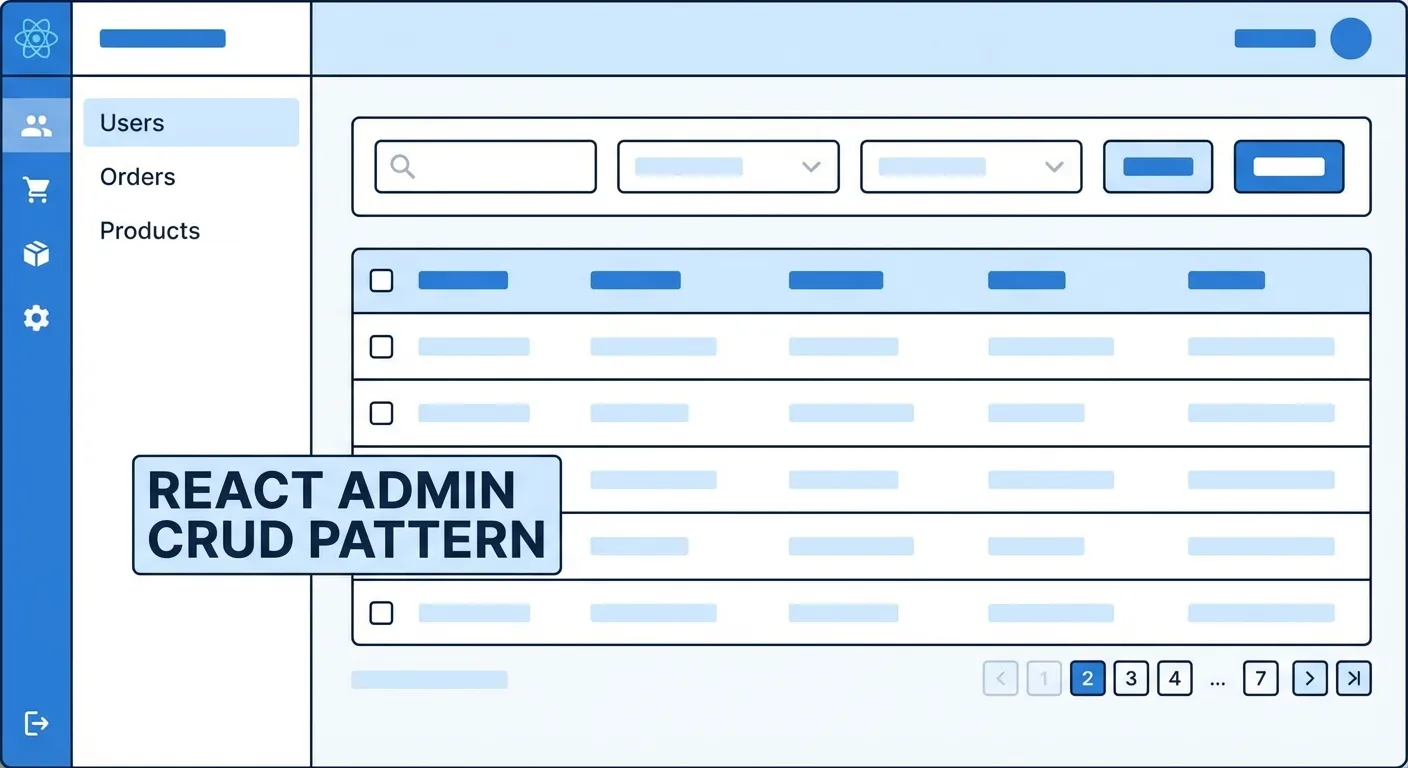
어드민의 90%는 CRUD다.
- 목록 조회 (List)
- 상세 조회 (Detail)
- 생성 (Create)
- 수정 (Update)
- 삭제 (Delete)
회원 관리, 게시판 관리, 주문 관리… 도메인만 다르지 패턴은 같다.
/user/list     → 회원 목록
/user/detail/1 → 회원 상세
/user/edit/1   → 회원 수정

/board/list    → 게시판 목록
/board/detail/1 → 게시판 상세
/board/edit/1  → 게시판 수정
이걸 깨닫고 나서, 패턴화를 시작했다.
폴더 구조
src/
├── api/              # API 호출
│   ├── user.js
│   ├── board.js
│   └── index.js
├── components/       # 공통 컴포넌트
│   ├── Table/
│   ├── Form/
│   ├── Modal/
│   └── Layout/
├── pages/            # 페이지
│   ├── User/
│   │   ├── UserList.jsx
│   │   ├── UserDetail.jsx
│   │   └── UserEdit.jsx
│   └── Board/
├── hooks/            # 커스텀 훅
│   ├── useList.js
│   ├── useDetail.js
│   └── useForm.js
├── utils/            # 유틸리티
└── App.jsx
핵심은 도메인별 분리와 공통 로직 추출이다.
목록 페이지 패턴
모든 목록 페이지는 같은 구조다:
- 검색 필터
- 테이블
- 페이지네이션
// hooks/useList.js
export const useList = (apiFunc, initialParams = {}) => {
  const [data, setData] = useState([]);
  const [loading, setLoading] = useState(false);
  const [params, setParams] = useState({
    page: 1,
    limit: 20,
    ...initialParams,
  });
  const [meta, setMeta] = useState({ total: 0 });

  const fetch = useCallback(async () => {
    setLoading(true);
    try {
      const res = await apiFunc(params);
      setData(res.data.data);
      setMeta(res.data.meta);
    } catch (e) {
      console.error(e);
    } finally {
      setLoading(false);
    }
  }, [apiFunc, params]);

  useEffect(() => {
    fetch();
  }, [fetch]);

  const handleSearch = (searchParams) => {
    setParams({ ...params, ...searchParams, page: 1 });
  };

  const handlePageChange = (page) => {
    setParams({ ...params, page });
  };

  return {
    data,
    loading,
    meta,
    params,
    handleSearch,
    handlePageChange,
    refetch: fetch,
  };
};
사용하는 쪽:
// pages/User/UserList.jsx
const UserList = () => {
  const {
    data,
    loading,
    meta,
    handleSearch,
    handlePageChange,
  } = useList(api.user.list);

  const columns = [
    { key: 'id', title: 'ID' },
    { key: 'name', title: '이름' },
    { key: 'email', title: '이메일' },
    { key: 'createdAt', title: '가입일', render: formatDate },
  ];

  return (
    <PageLayout title="회원 관리">
      <SearchFilter onSearch={handleSearch} />
      <Table
        columns={columns}
        data={data}
        loading={loading}
      />
      <Pagination
        total={meta.total}
        onChange={handlePageChange}
      />
    </PageLayout>
  );
};
useList 훅 하나로 모든 목록 페이지를 만들 수 있다.
상세/수정 페이지 패턴
상세 조회와 수정도 패턴화했다:
// hooks/useDetail.js
export const useDetail = (apiFunc, id) => {
  const [data, setData] = useState(null);
  const [loading, setLoading] = useState(true);

  useEffect(() => {
    if (!id) return;

    const fetch = async () => {
      try {
        const res = await apiFunc(id);
        setData(res.data.data);
      } catch (e) {
        console.error(e);
      } finally {
        setLoading(false);
      }
    };

    fetch();
  }, [apiFunc, id]);

  return { data, loading };
};
// hooks/useForm.js
export const useForm = (initialData, submitFunc) => {
const [form, setForm] = useState(initialData);
const [loading, setLoading] = useState(false);
const [errors, setErrors] = useState({});
useEffect(() => {
if (initialData) {
setForm(initialData);
}
}, [initialData]);
const handleChange = (key, value) => {
setForm({ ...form, [key]: value });
setErrors({ ...errors, [key]: null });
};
const handleSubmit = async () => {
setLoading(true);
try {
await submitFunc(form);
return true;
} catch (e) {
if (e.response?.data?.errors) {
setErrors(e.response.data.errors);
}
return false;
} finally {
setLoading(false);
}
};
return { form, loading, errors, handleChange, handleSubmit };
};공통 컴포넌트
1. 테이블
// components/Table/index.jsx
const Table = ({ columns, data, loading, onRowClick }) => {
  if (loading) return <Skeleton rows={10} />;

  return (
    <table className="admin-table">
      <thead>
        <tr>
          {columns.map(col => (
            <th key={col.key}>{col.title}</th>
          ))}
        </tr>
      </thead>
      <tbody>
        {data.map(row => (
          <tr key={row.id} onClick={() => onRowClick?.(row)}>
            {columns.map(col => (
              <td key={col.key}>
                {col.render ? col.render(row[col.key], row) : row[col.key]}
              </td>
            ))}
          </tr>
        ))}
      </tbody>
    </table>
  );
};
2. 검색 필터
// components/SearchFilter/index.jsx
const SearchFilter = ({ filters, onSearch }) => {
  const [values, setValues] = useState({});

  const handleSubmit = (e) => {
    e.preventDefault();
    onSearch(values);
  };

  return (
    <form onSubmit={handleSubmit} className="search-filter">
      {filters.map(filter => (
        <FilterInput
          key={filter.key}
          type={filter.type}
          label={filter.label}
          value={values[filter.key]}
          onChange={(v) => setValues({ ...values, [filter.key]: v })}
        />
      ))}
      <Button type="submit">검색</Button>
    </form>
  );
};
3. 페이지 레이아웃
// components/Layout/PageLayout.jsx
const PageLayout = ({ title, children, actions }) => {
  return (
    <div className="page-layout">
      <div className="page-header">
        <h1>{title}</h1>
        {actions && <div className="page-actions">{actions}</div>}
      </div>
      <div className="page-content">
        {children}
      </div>
    </div>
  );
};
API 레이어
모든 API 호출을 한 곳에서 관리:
// api/user.js
import axios from './axios';

export const user = {
  list: (params) => axios.get('/admin/user/list', { params }),
  detail: (id) => axios.get(`/admin/user/detail/${id}`),
  create: (data) => axios.post('/admin/user/register', data),
  update: (id, data) => axios.put(`/admin/user/update/${id}`, data),
  delete: (id) => axios.delete(`/admin/user/delete/${id}`),
};
// api/index.js
import { user } from './user';
import { board } from './board';
import { order } from './order';
export const api = {
user,
board,
order,
};새 도메인 추가할 때 복붙해서 수정하면 끝.
실제 적용 사례
medilance_admin
의료 서비스 어드민. 회원, 예약, 결제 관리.
// 예약 목록 - 5분만에 완성
const ReservationList = () => {
  const { data, loading, meta, handleSearch, handlePageChange } = useList(
    api.reservation.list
  );

  const columns = [
    { key: 'id', title: '예약번호' },
    { key: 'userName', title: '환자명' },
    { key: 'doctorName', title: '의사명' },
    { key: 'status', title: '상태', render: StatusBadge },
    { key: 'reservedAt', title: '예약일시', render: formatDateTime },
  ];

  return (
    <PageLayout title="예약 관리">
      <SearchFilter
        filters={[
          { key: 'status', type: 'select', label: '상태', options: STATUS_OPTIONS },
          { key: 'date', type: 'dateRange', label: '예약일' },
        ]}
        onSearch={handleSearch}
      />
      <Table columns={columns} data={data} loading={loading} />
      <Pagination total={meta.total} onChange={handlePageChange} />
    </PageLayout>
  );
};
ppl_admin
PPL 매칭 서비스. 인플루언서, 브랜드, 캠페인 관리.
oldHero_admin
시니어 돌봄 서비스. 요양보호사, 이용자, 매칭 관리.
모두 같은 패턴. 도메인만 다를 뿐.
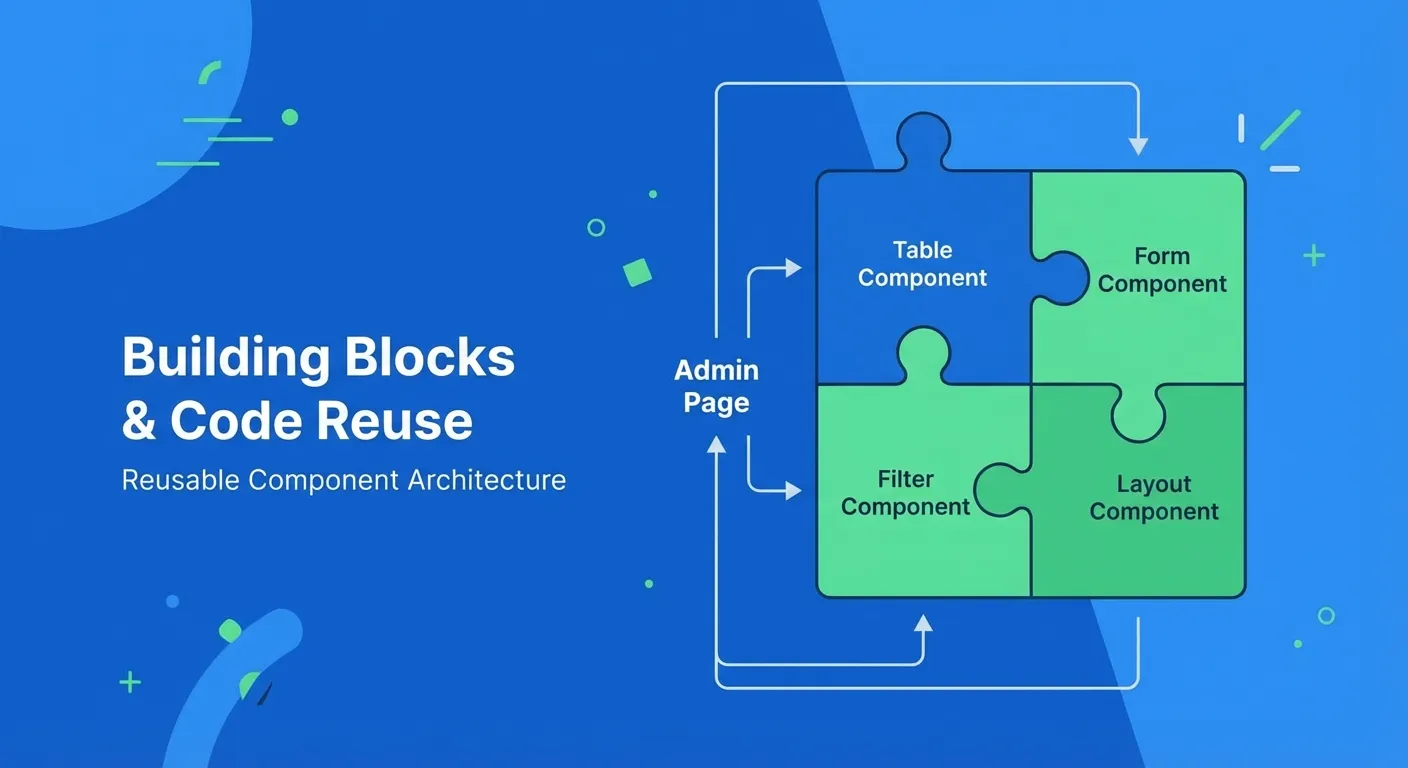
이 패턴의 장점
- 개발 속도: 새 어드민 만드는 데 하루면 충분
- 일관성: 어떤 프로젝트든 같은 구조
- 유지보수: 한 곳 고치면 모든 곳에 적용
- 온보딩: 신규 개발자도 빠르게 파악
단점
- 유연성 부족: 특이한 요구사항에 대응 어려움
- 과한 추상화: 간단한 건 오히려 복잡해질 수 있음
- 학습 비용: 패턴을 먼저 이해해야 함
마무리
어드민은 사용자가 사내 직원이다. 화려할 필요 없다. 빠르고 정확하면 된다.
패턴화의 핵심은 반복을 줄이는 것이다. 10개 프로젝트에서 같은 코드를 쓰지 말고, 한 번 만들어서 재사용하자.
이 패턴들은 나중에 cucu-generator로 발전했다. CLI로 보일러플레이트를 생성하는 도구다.
다음엔 백엔드도 비슷하게 패턴화하고 싶다. NestJS가 답일 것 같다.
다음 글: 왜 NestJS로 갈아탔나