
프로젝트 개요
프로젝트: AI Scraper (웹 데이터 수집 자동화)
개발 기간: 2025.02 (약 1주)
기술 스택: Next.js, TypeScript, AI API, Supabase
주요 작업: 8 commits
왜 만들었나
회사에서 경쟁사 가격 모니터링이 필요했다. 수작업으로 하자니 시간이 너무 걸리고, 기존 스크래핑 도구는 설정이 복잡했다.
원하는 것:
- URL만 입력하면 원하는 데이터 추출
- 코딩 없이 자연어로 “가격 정보 가져와” 같은 명령
- 정기적으로 자동 실행
AI를 붙이면 되겠다 싶었다.
구현 과정
기본 구조 설계
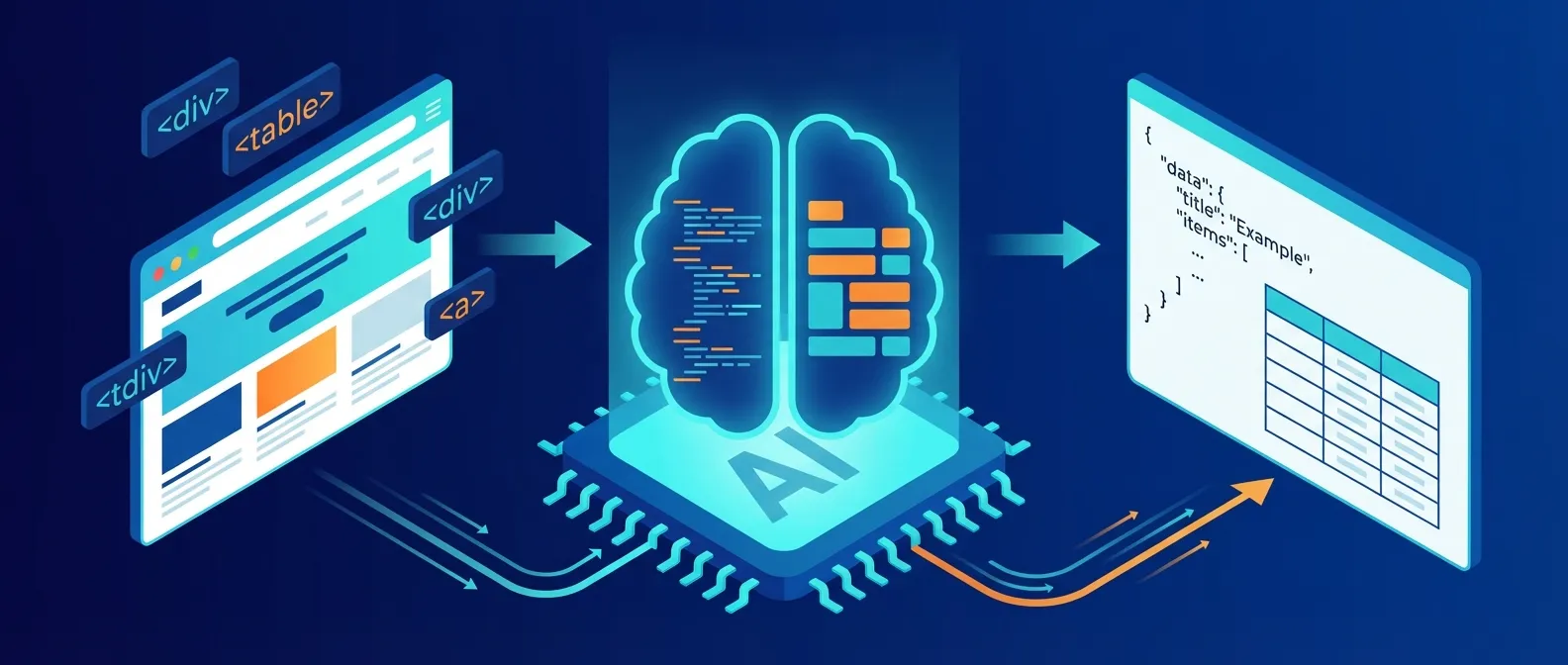
49d63de8 2025-02-17 feat: AI 스크래퍼 서비스 구현기본 아이디어:
- 사용자가 URL과 추출 명령 입력
- 웹페이지 HTML 가져오기
- AI에게 HTML + 명령 전달
- AI가 구조화된 데이터 반환
async function scrape(url: string, instruction: string) {
  // 1. HTML 가져오기
  const html = await fetchPage(url);

  // 2. AI에게 전달
  const prompt = `
    다음 HTML에서 "${instruction}"에 해당하는 데이터를 JSON으로 추출해줘.

    HTML:
    ${html}
  `;

  // 3. AI 응답
  const result = await callAI(prompt);

  return JSON.parse(result);
}
타입 에러 수정
7605bba7 2025-02-17 fix: 타입스크립트 에러 수정
d27b8052 2025-02-17 Merge branch 'fix/typescript-errors' into feature/ai-scraper
AI 응답은 항상 문자열이라 타입 처리가 까다로웠다.
interface ScrapedData {
  [key: string]: unknown;
}

function parseAIResponse(response: string): ScrapedData {
  try {
    // JSON 블록만 추출
    const jsonMatch = response.match(/```json\n?([\s\S]*?)\n?```/);
    if (jsonMatch) {
      return JSON.parse(jsonMatch[1]);
    }
    return JSON.parse(response);
  } catch {
    throw new Error('AI 응답 파싱 실패');
  }
}
AI 스크래퍼 기능 개선
a7286378 2025-02-21 feat(ai-scraper): AI 스크래퍼 기능 개선
e0694bba 2025-02-21 style(ai-scraper): 제목 텍스트 색상을 흰색으로 변경
HTML 전처리
웹페이지 전체 HTML을 AI에게 보내면 토큰 낭비다. 필요한 부분만 추출:
function preprocessHTML(html: string): string {
  // script, style 태그 제거
  let cleaned = html.replace(/<script[\s\S]*?<\/script>/gi, '');
  cleaned = cleaned.replace(/<style[\s\S]*?<\/style>/gi, '');

  // 주석 제거
  cleaned = cleaned.replace(/<!--[\s\S]*?-->/g, '');

  // 불필요한 속성 제거
  cleaned = cleaned.replace(/\s(class|id|style|data-[\w-]+)="[^"]*"/g, '');

  return cleaned;
}
이렇게 하면 HTML 크기가 1/10 정도로 줄어든다.
구조화된 프롬프트
const systemPrompt = `
당신은 웹 데이터 추출 전문가입니다.
주어진 HTML에서 요청된 정보를 정확히 추출하세요.

규칙:
1. 반드시 JSON 형식으로 응답
2. 찾을 수 없는 정보는 null로 표시
3. 배열 데이터는 모든 항목 추출
4. 가격은 숫자만 추출 (통화 기호 제외)
`;

const userPrompt = `
URL: ${url}
요청: ${instruction}

HTML:
${preprocessedHTML}
`;
실시간 UI 업데이트
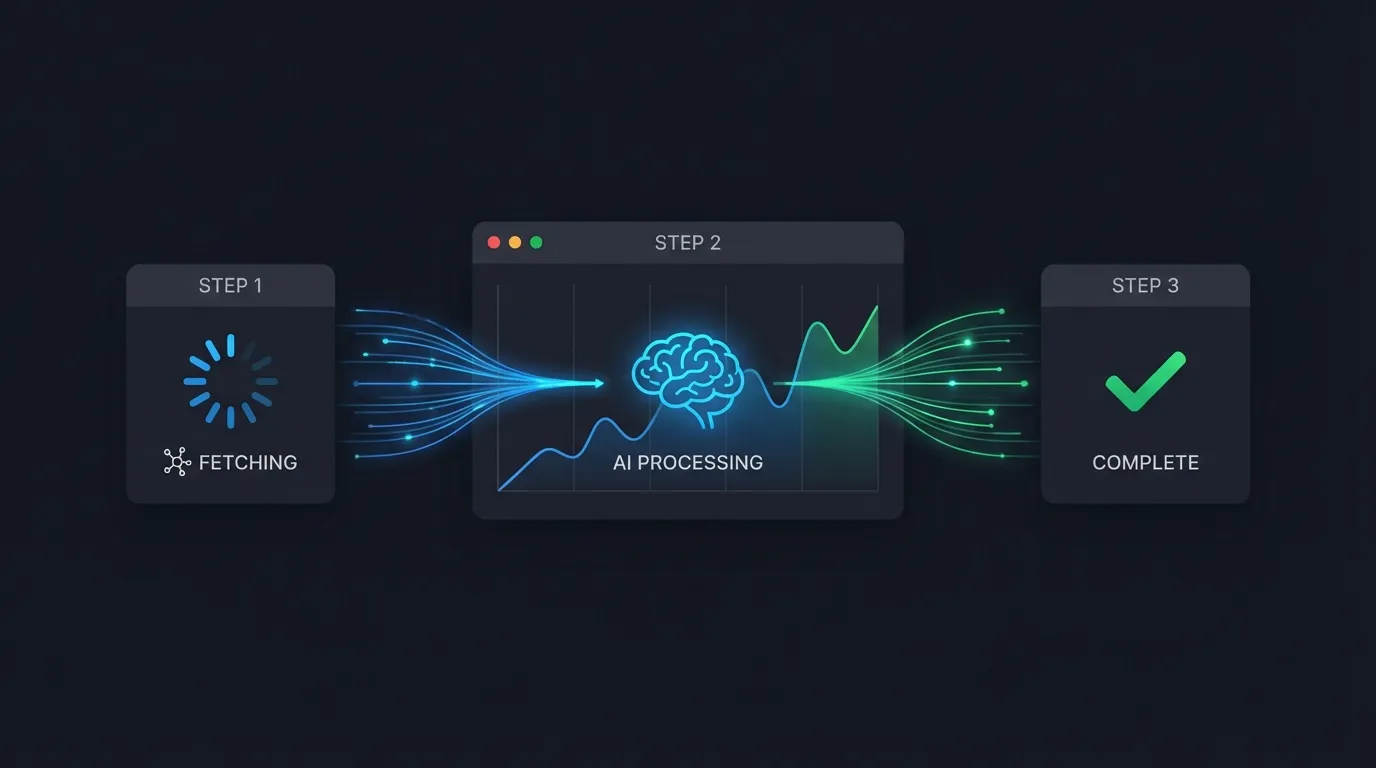
스크래핑은 시간이 걸린다. 사용자에게 진행 상황을 보여줘야 했다.
// 서버: Server-Sent Events로 진행 상황 전송
export async function POST(req: Request) {
  const encoder = new TextEncoder();

  const stream = new ReadableStream({
    async start(controller) {
      // 1단계: HTML 가져오기
      controller.enqueue(encoder.encode('data: {"step": "fetching"}\n\n'));
      const html = await fetchPage(url);

      // 2단계: AI 처리
      controller.enqueue(encoder.encode('data: {"step": "processing"}\n\n'));
      const result = await callAI(html, instruction);

      // 3단계: 완료
      controller.enqueue(encoder.encode(`data: {"step": "done", "result": ${JSON.stringify(result)}}\n\n`));
      controller.close();
    }
  });

  return new Response(stream, {
    headers: { 'Content-Type': 'text/event-stream' }
  });
}
// 클라이언트: EventSource로 수신
function useScraper() {
const [status, setStatus] = useState('idle');
const [result, setResult] = useState(null);
const scrape = async (url: string, instruction: string) => {
const eventSource = new EventSource(`/api/scrape?url=${url}&q=${instruction}`);
eventSource.onmessage = (event) => {
const data = JSON.parse(event.data);
setStatus(data.step);
if (data.step === 'done') {
setResult(data.result);
eventSource.close();
}
};
};
return { status, result, scrape };
}상태 관리 개선
26bc935d 2025-02-19 fix: botList 상태 변경 감지 개선스크래핑 결과를 저장하고 다시 불러오는 기능도 필요했다.
// 저장된 스크래핑 작업 목록
const [jobs, setJobs] = useState<ScrapingJob[]>([]);

// 새 작업 추가 시 즉시 반영
const addJob = (job: ScrapingJob) => {
  setJobs(prev => [...prev, job]);
};

// Supabase에서 실시간 동기화
useEffect(() => {
  const subscription = supabase
    .channel('scraping_jobs')
    .on('INSERT', (payload) => {
      addJob(payload.new as ScrapingJob);
    })
    .subscribe();

  return () => subscription.unsubscribe();
}, []);
배운 점
1. AI의 한계 인식
AI가 HTML을 완벽하게 파싱하진 못한다. 특히:
- 동적으로 로드되는 콘텐츠 (JavaScript 렌더링)
- iframe 내부 콘텐츠
- 복잡한 테이블 구조
이런 경우는 브라우저 자동화(Puppeteer)가 필요하다.
2. 토큰 비용 관리
HTML 전체를 보내면 토큰 비용이 폭발한다. 전처리로 필요한 부분만 추출하는 게 중요하다.
3. 에러 핸들링
스크래핑은 실패할 확률이 높다:
- 사이트가 봇을 차단
- HTML 구조 변경
- 네트워크 타임아웃
모든 단계에서 적절한 에러 처리와 재시도 로직이 필요하다.
async function fetchWithRetry(url: string, retries = 3): Promise<string> {
  for (let i = 0; i < retries; i++) {
    try {
      const res = await fetch(url, {
        headers: {
          'User-Agent': 'Mozilla/5.0 ...'  // 봇 차단 우회
        }
      });
      return await res.text();
    } catch (e) {
      if (i === retries - 1) throw e;
      await sleep(1000 * (i + 1));  // 점진적 대기
    }
  }
  throw new Error('Unreachable');
}
마무리
1주일 만에 기본적인 AI 스크래퍼를 만들었다.
코딩 없이 자연어로 데이터를 추출한다는 컨셉은 성공적이었다. 다만 복잡한 사이트나 동적 콘텐츠는 여전히 한계가 있다.
다음 버전에서는 Puppeteer를 연동해서 JavaScript 렌더링까지 지원할 계획이다.
스크래핑은 법적 이슈가 있을 수 있다. robots.txt와 이용약관을 확인하자.
관련 포스트가 4개 있어요.
Unity·C++·PLC가 얽힌 10년 묵은 모니터링 시스템의 게이트웨이 서버를, 터미널만으로 무중단 이전한 실전 기록
AI 에이전트로 레거시 산업 시스템 서버를 옮겼다
Unity와 C++로만 읽히던 10년 된 크레인 PLC 프로토콜을, 옛 소스코드를 스펙 삼아 NestJS 게이트웨이로 다시 만든 기록 — 역공학부터 무중단 운영까지

문서 없는 산업용 프로토콜을 AI로 역공학했다
Claude Code 워크트리로 기능을 병렬 개발하고 PR로 머지하며, 혼자 5개국어 구매대행 플랫폼을 만든 워크플로우 회고

혼자서 크로스보더 커머스를 만든 방법 — worktree와 PR
코드를 치던 개발자에서 방향을 잡는 사람으로 - AI 에이전트와 함께한 변화